
A uCylinder light is geometric light that has length and diameter, similar to fluorescent light. This light shows an onscreen control. Translation and rotation of the control place this in the scene.
uCylinder Light Node Inputs
There is one Scene Input in yellow to attach a USD scene; this allows you to adjust any existing lights within the scene
uCylinder Light Node Controls Tab
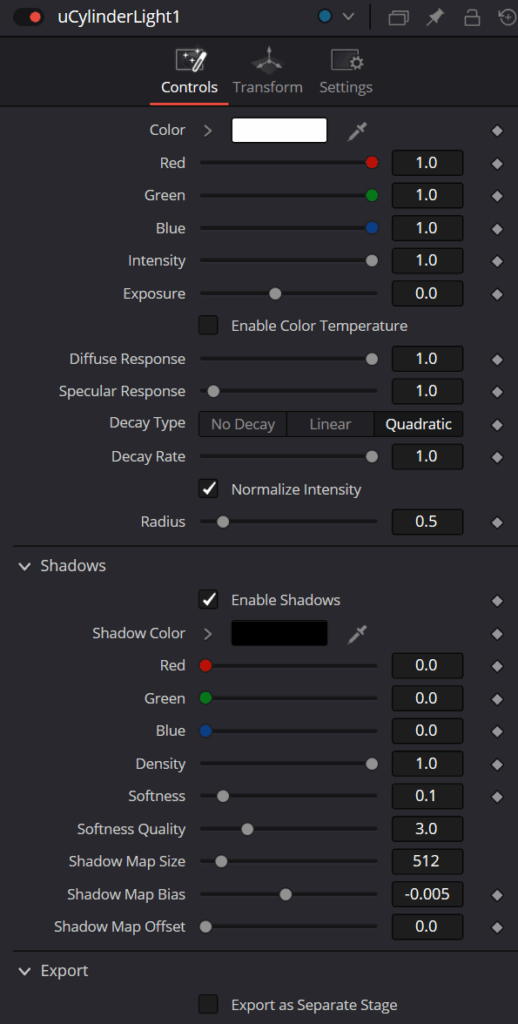
The Controls tab is used to set the color and brightness of the uCylinder light. The position, direction, and scale of the light source is controlled in the Transform tab.
Override Selection
Pressing the Pick button lets you choose an existing light in an attached USD file to allow adjusting the lights in an imported scene.
Color
Use this standard Color control to set the color of the light.
Intensity
Use this slider to set the intensity of the light. A value of 0.2 indicates 20% percent light.
Exposure
This will change how much light will expose a scene; this is similar to Intensity.
Color Temperature/Enable
This sets the color temperature of a light source. Its default is 6500K, which is daylight temperature.
Diffuse Response
Controls the amount the light will contribute to the Diffuse color of a material
Specular Response
Controls the amount the light will contribute to the Specular color of a material.
Normalize
This will normalize the light’s contribution in the scene.
Treat As Line
This will make the light a simpler line light source.
Length
Defines the length of the light.
Radius
Defines the diameter of the light.
uCylinder Light Node Transform tab
The Transform tab in the Inspector is also duplicated in other USD nodes.
uCylinder Light Node Settings tab
The Settings tab in the Inspector is also duplicated in other USD nodes.