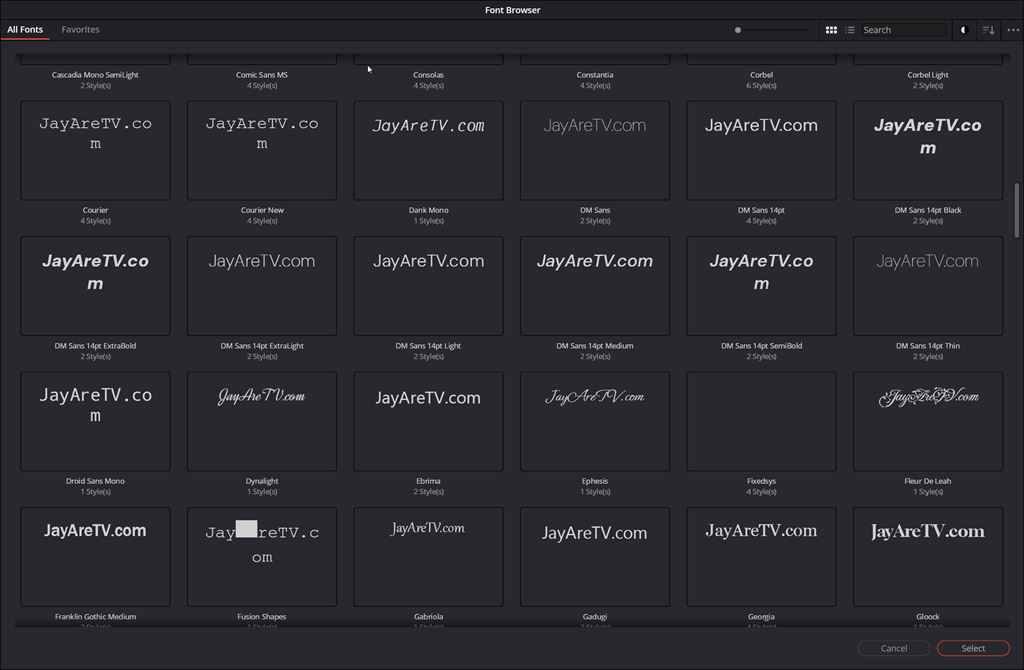
Blackmagic Design has officially overhauled the typography experience in DaVinci Resolve 21, addressing one of the most long-standing requests from editors and motion designers. The latest update moves away from the traditional, text-only font lists of previous versions, introducing a highly visual and searchable system designed to speed up the creative process.
Real-Time Inline Previews
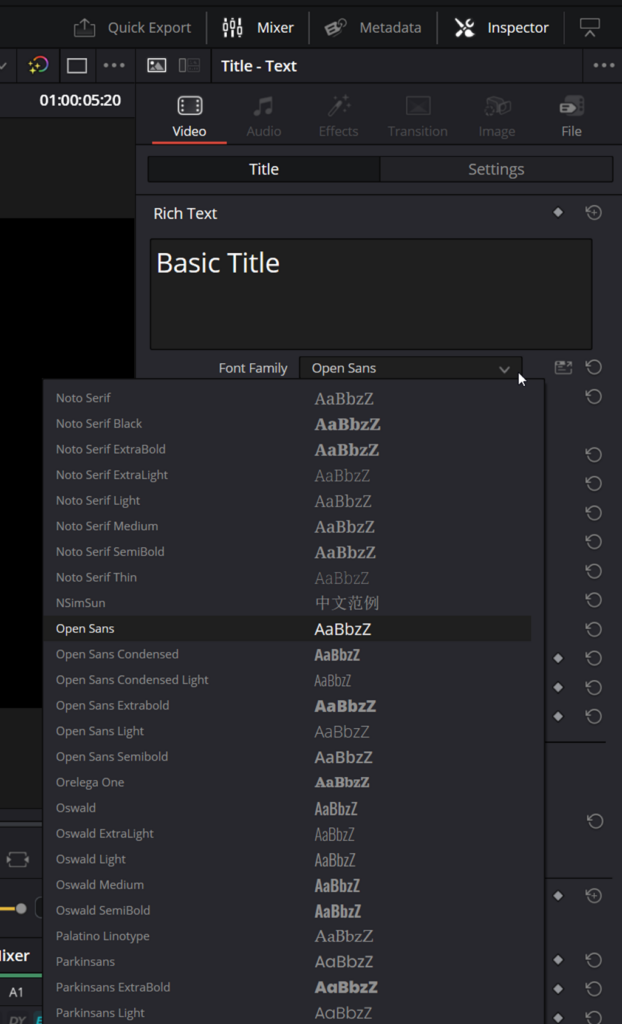
For years, selecting the perfect typeface in Resolve often required a “trial and error” approach—selecting a font name, seeing how it looked on the timeline, and repeating the process. In Resolve 21, this workflow has been significantly streamlined.
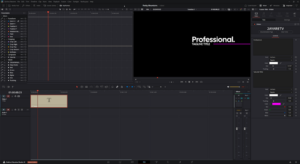
Simple title elements and subtitle tracks now feature live font previews directly within the font selection combo box. As you scroll through your library, the system displays the font style side-by-side with its name, allowing editors to make instant aesthetic decisions without ever leaving the Inspector. For those who prefer a more minimalist interface, Blackmagic has included the option to toggle these previews on or off within the User Preferences under UI Settings.
The All-New Font Browser: A Powerhouse for Designers
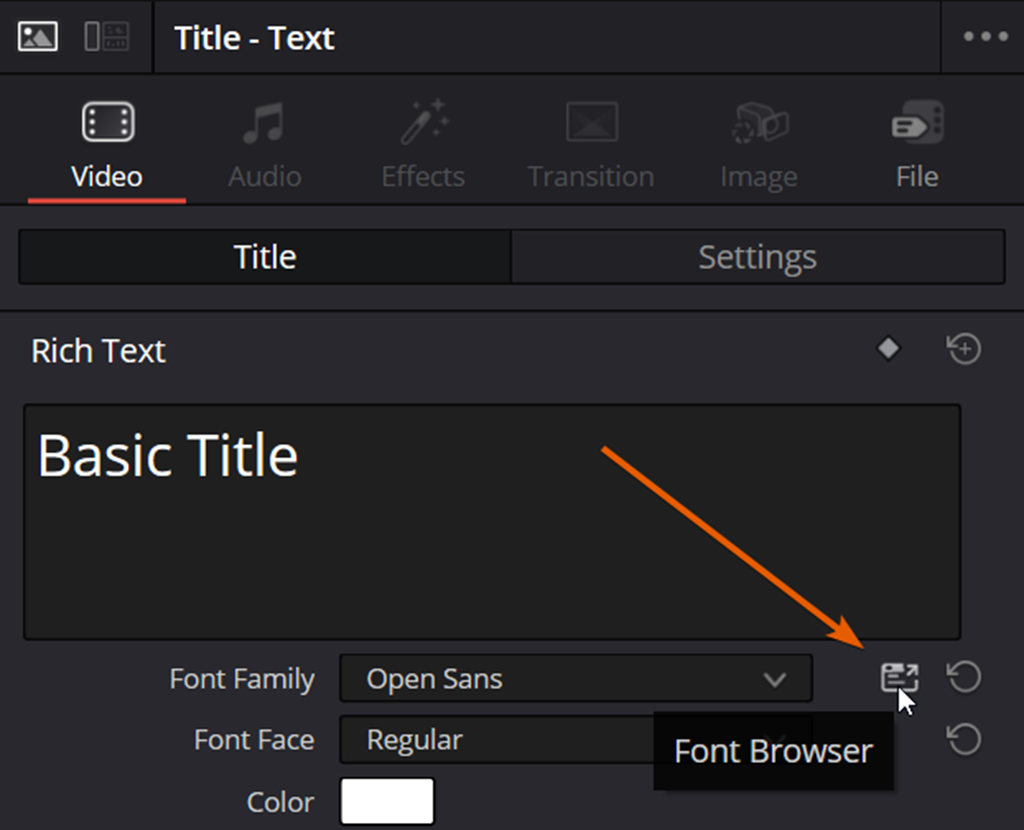
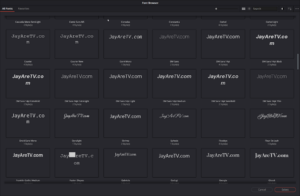
Beyond simple dropdown improvements, Resolve 21 introduces a dedicated Font Browser. This is a standalone tool designed for deep dives into your typography library, accessible via a new icon located next to the font selection menu.
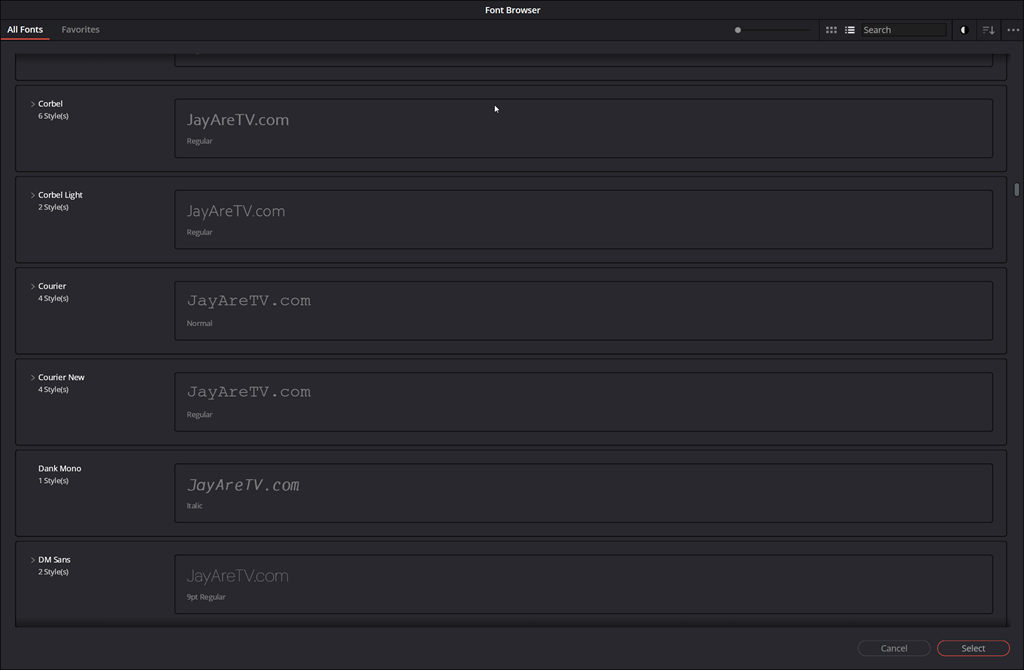
This tool transforms font management from a simple list into a professional asset manager. Key features of the new Font Browser include:
- Visual Flexibility: Users can toggle between a tiled thumbnail view for a broad visual overview or a detailed list view for quick technical comparisons.
- Advanced Filtering & Search: To navigate massive libraries, the browser includes a search bar and a robust filter dropdown. Editors can now isolate fonts based on specific weights and classifications (such as Serif, Sans Serif, etc.).
- Customized Previews: One of the most powerful additions is the ability to set custom preview text via the three-dot options menu. This allows you to see exactly how a specific word or brand name looks in every font simultaneously.
- Adaptive UI: To ensure a consistent creative environment, the browser supports both light and dark modes.
Seamless Integration
The strength of these updates lies in their integration. Once a font is identified within the Font Browser, it is automatically applied to the selected text element on the timeline. By moving away from the “blind” font selection of older versions, DaVinci Resolve 21 provides a faster, more intuitive way for editors to handle title design and branding, keeping the focus on the visual output rather than the technical menus.