Some view the learning curve for Fusion as being very steep but with a little bit of guidance I don’t believe it’s that difficult. In the video below we go over a couple of basics of how nodes work and how we would connect up a couple of different Fusion nodes up to create a very simple lower thirds title. I believe having a good grasp on what the nodes are doing simplifies this whole process of using nodes to create motion graph.
DaVinci Resolve 18 Fusion Tutorial For Beginners



- Davinci Resolve 21 New Photo Page
- New Keyframe and Curves Editor in DaVinci Resolve 21
- DaVinci Resolve 21 Visual Font Previews and Dedicated Font Browser
- DaVinci Resolve 21 Expands Creative Horizons with Native Lottie and OGraf Support

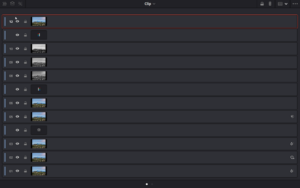
- DaVinci Resolve 21 New Node Graph “Layer List” View
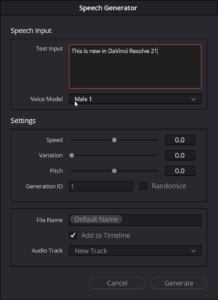
- AI Speech Generator in DaVinci Resolve 21
- uTextureTransform Node
- uTexture Node