Blackmagic Design continues to bridge the gap between graphic design and post-production with the release of DaVinci Resolve 21. One of the most significant workflow enhancements in this update is the introduction of native decoding for Affinity (.af) files. This integration marks a major shift for editors who previously had to rely on flattened exports or third-party formats to move assets between Affinity and Resolve.
Seamless Native Integration
In previous versions of DaVinci Resolve, working with Affinity Photo, Designer, or Publisher files required an intermediary step—usually exporting to a PSD or a flattened PNG/TIFF. In version 21, that friction is gone.
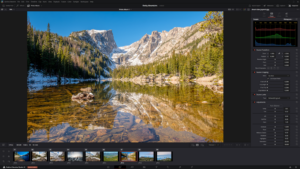
When an Affinity file is imported into the Media Pool, DaVinci Resolve now decodes it natively. By default, the software generates a flattened, rasterized preview of the file, allowing editors to view and manage these assets exactly like any other standard still image format. This “drag-and-drop” simplicity ensures that graphic assets can be placed onto the timeline instantly without leaving the Resolve environment.
The Power of Non-Destructive Layer Splitting
The true strength of this update lies in how Resolve handles the internal architecture of an Affinity file. Once an asset is placed on the timeline, editors are no longer limited to a single flattened image.
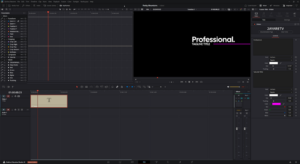
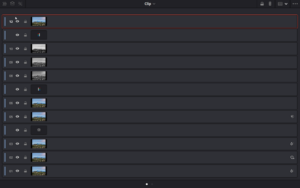
Through the new “Split Layers into Place” context menu, Resolve can unpack the Affinity file directly on the timeline. Unlike traditional imports that might dump every sub-layer at once, Resolve’s engine is intelligent: it splits the file one level at a time, respecting the groups and levels established in the original Affinity document. This allows editors to drill down into the specific layers they need to animate or adjust, providing a level of granular control that was previously unavailable for this file type.
Dynamic Syncing and Version Control
Beyond the initial import, DaVinci Resolve 21 establishes a “live” feel to the design workflow. Any tweaks or edits saved within the original .af file are automatically reflected inside the Resolve timeline. This eliminates the need for constant re-renders and manual file replacement during the revision process.
It is worth noting that while visual changes sync automatically, the software relies on the existing file structure to maintain the “Split Layers” functionality. While minor edits are handled seamlessly, major overhauls to the layer hierarchy or group nesting may require the file to be re-imported into the Media Pool to ensure the layer splitting remains accurate.
The Verdict
For video editors who handle their own motion graphics or work closely with designers using the Affinity Suite, this update is a massive productivity gain. By removing the export-heavy middleman, DaVinci Resolve 21 turns the timeline into a more flexible, design-friendly environment, ensuring that the transition from canvas to screen is smoother than ever.