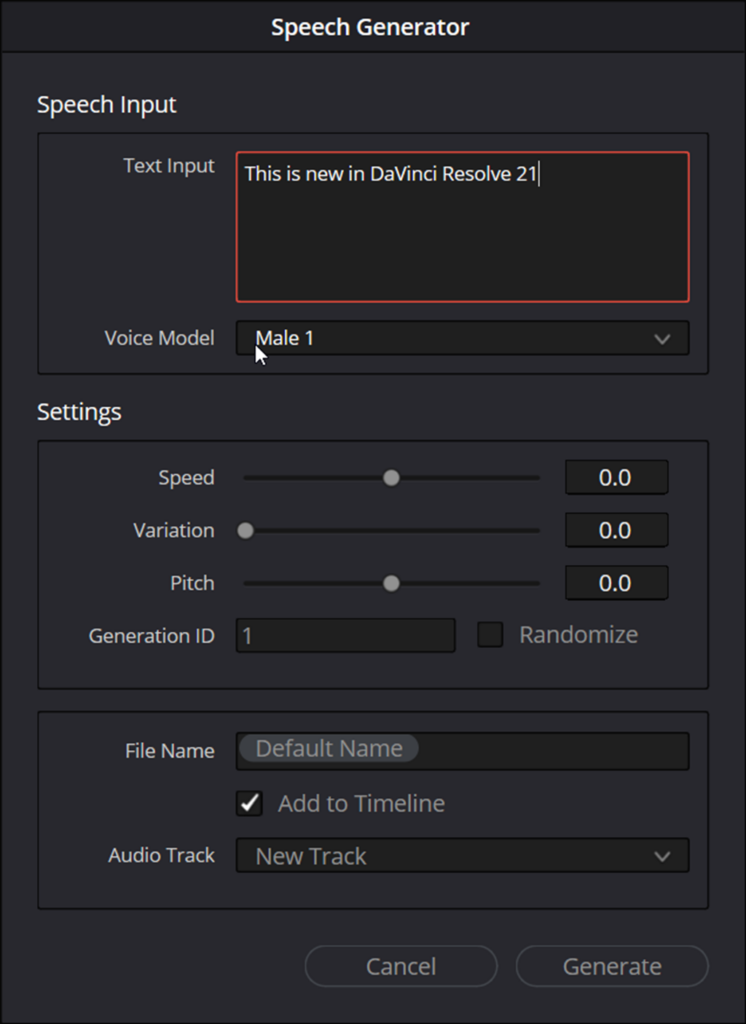
The release of DaVinci Resolve 21 brings a suite of sophisticated AI-driven tools to the timeline, but perhaps none are as transformative for solo editors and production houses as the new AI Speech Generator. This tool moves beyond simple text-to-speech, offering a high-fidelity way to generate professional narrations and voiceovers directly within the application.
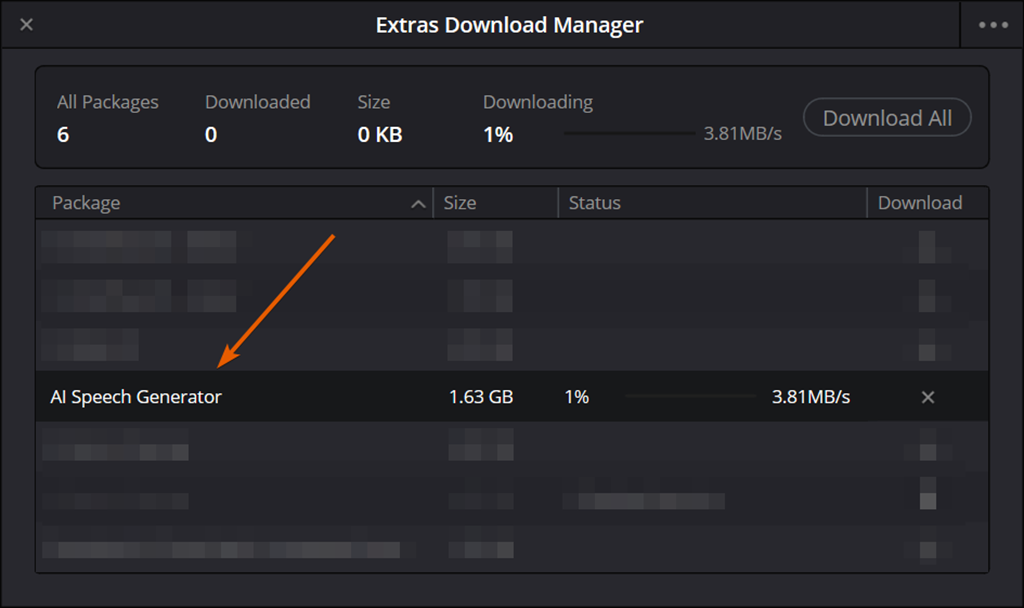
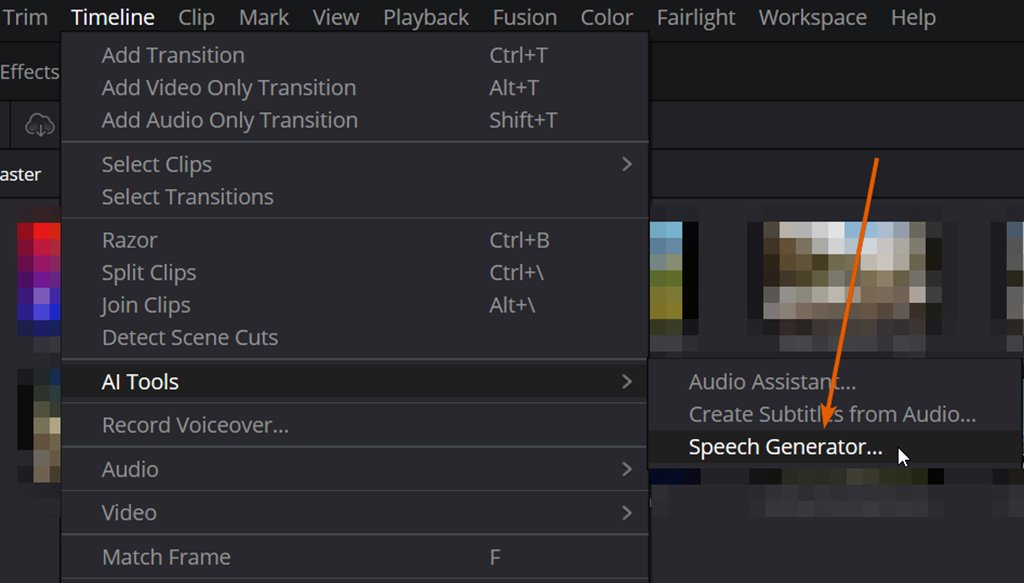
Here is an overview of what makes this new tool a powerhouse for your creative workflow.
High-Fidelity Narrations from Simple Text
The AI Speech Generator is designed to turn written text into natural-sounding spoken word. Whether you are building scratch tracks, final narrations, or localized VO, the tool provides a level of performance that mimics human cadence.
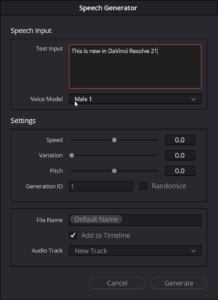
Unlike traditional methods that might require importing complex script files, the Speech Generator utilizes a streamlined text entry field. By focusing on shorter sentences and paragraphs, the AI model is able to maintain a high level of quality and realism, allowing editors to build their audio in manageable, high-impact sections.
Custom Voice Cloning and Presets
One of the standout features of this new tool is its flexibility regarding the “speaker.” Users can choose from four high-quality standard Blackmagic voices or, more impressively, create their own.
- Custom Voice Analysis: By simply providing a clean snippet of audio (as little as 10 to 20 seconds), the engine can analyze and replicate a voice with remarkable speed.
- The “In/Out” Principle: The tool is high-fidelity, meaning the quality of your output is directly tied to the quality of your source. A clean, even recording results in a professional-grade AI clone.
Advanced Performance Control: Generation ID and Variance
The Speech Generator isn’t just a “one-and-done” tool; it’s built for iteration. Blackmagic has introduced specific parameters to help editors “direct” the AI performance:
- Generation ID: Every performance is assigned a unique ID number. This allows for a “random but repeatable” workflow. If you find a specific rhythm or “reading” you love, you can lock in that ID number while adjusting other settings like pitch or speed.
- Variance Slider: This controls the prosody—the rhythm and emotion—of the speech. At 0.0, the AI stays closest to the source; as you increase the slider toward 1.0, the AI introduces more emotional variation and rhythmic diversity.
- Punctuation Intelligence: The engine is tuned to recognize punctuation; periods and carriage returns create natural pauses, giving editors a familiar way to “pace” the performance through text alone.
How it Evolves the Workflow: Speech Generator vs. Voice Convert
For those familiar with the Voice Convert tool introduced in version 20, the new Speech Generator represents a significant shift in capability.
While Voice Convert requires a guide track to drive the performance (tracking the prosody of an existing recording), the Speech Generator creates speech entirely from text. This makes it the superior choice for editors who don’t have the time or equipment to record a vocal guide. Furthermore, the Speech Generator’s analysis engine is faster and requires significantly less source material to build a high-quality voice model compared to the requirements of Voice Convert.
Professional Integration and Management
The Speech Generator is built for the professional environment. Generated clips are automatically named with smart suffixes (including the Voice Name and Generation ID) and are saved directly into the DaVinci Resolve Media folder. This ensures that even when generating dozens of takes to find the perfect performance, your project remains organized and your assets are easily searchable within the Media Pool.